
How to setup a WhatsApp channel (Embedded signup)
This document will help you fully set up your website live chat. It explains how to create and use the additional settings for a desired website inbox.
This document will help you fully set up your website live chat. It explains how to create and use the additional settings for a desired website inbox.
The web dashboard and the live chat widget work with most modern web browsers. Supported versions:
Supported mobile OS versions for the Unified Chat mobile app:
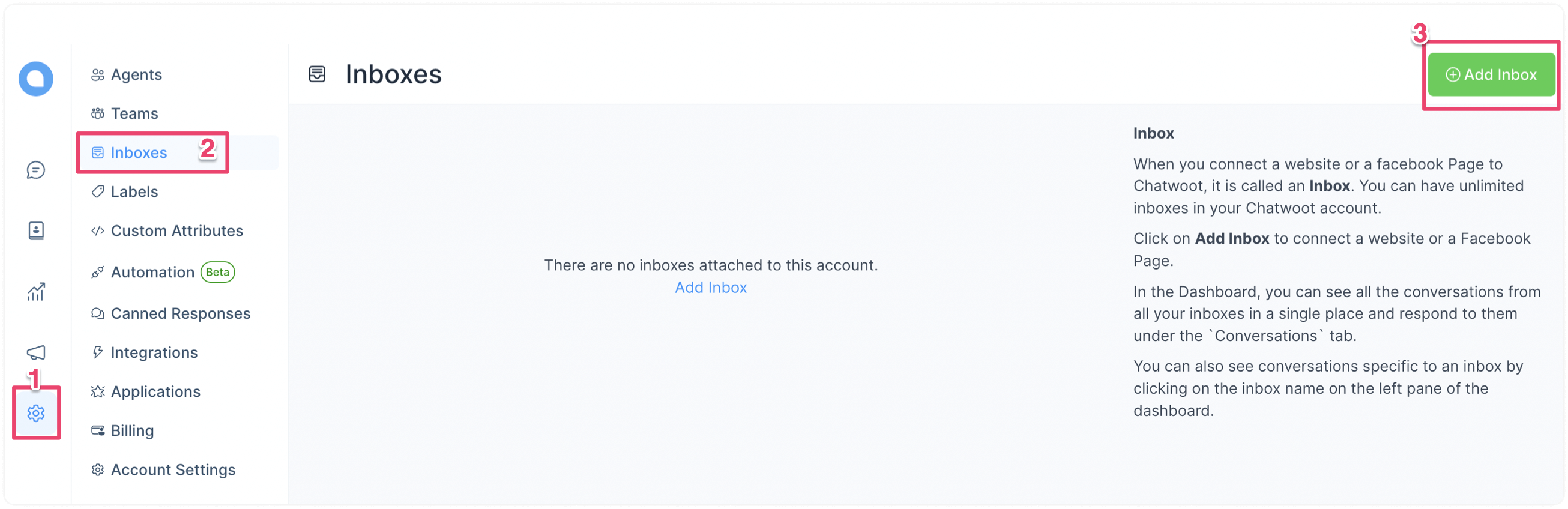
Step 1. Go to the Inboxes page → Settings → Inboxes → "Add Inbox" button.
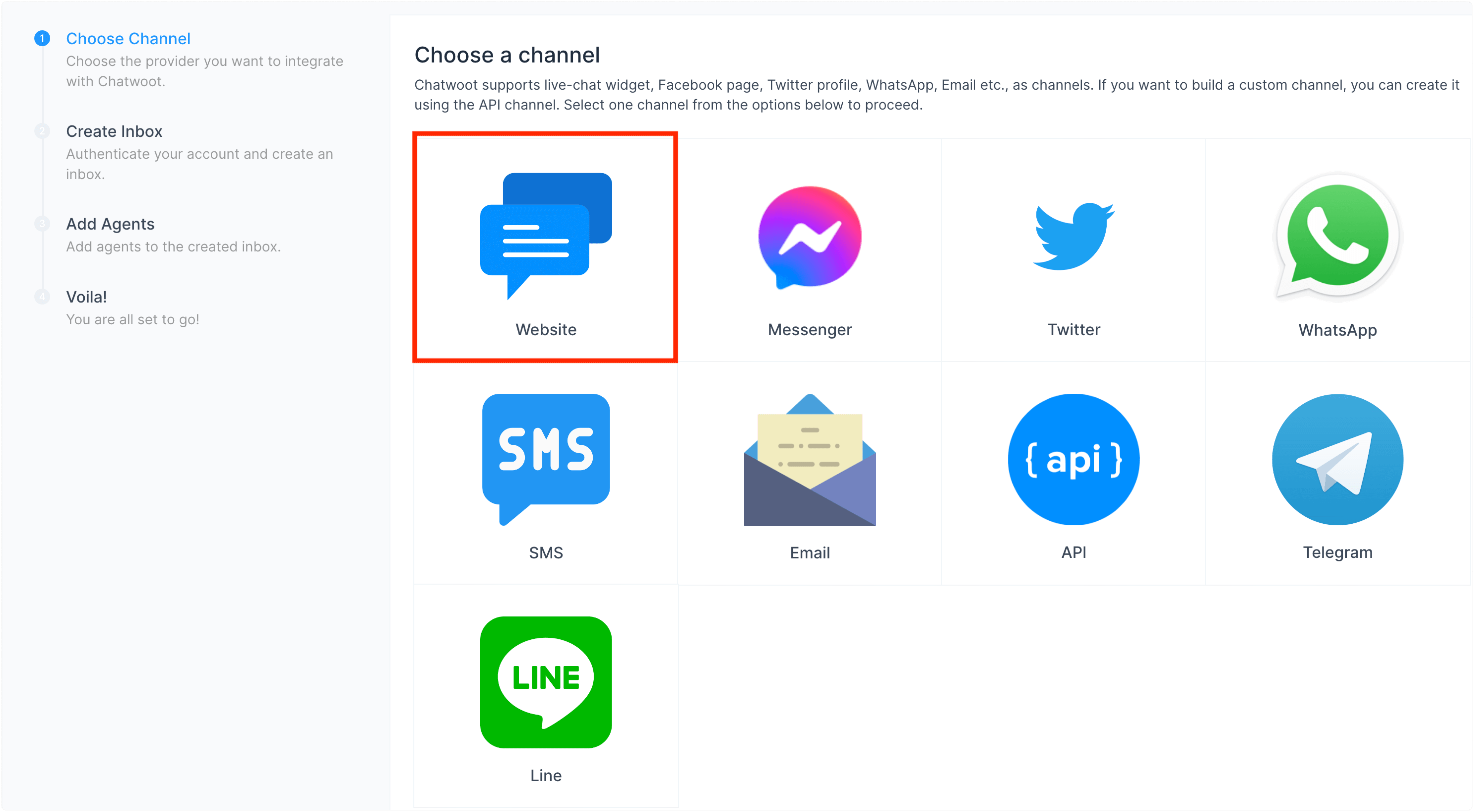
Step 2. Click on the "Website" icon.
Step 3. Enter your website name, URL, and other details:
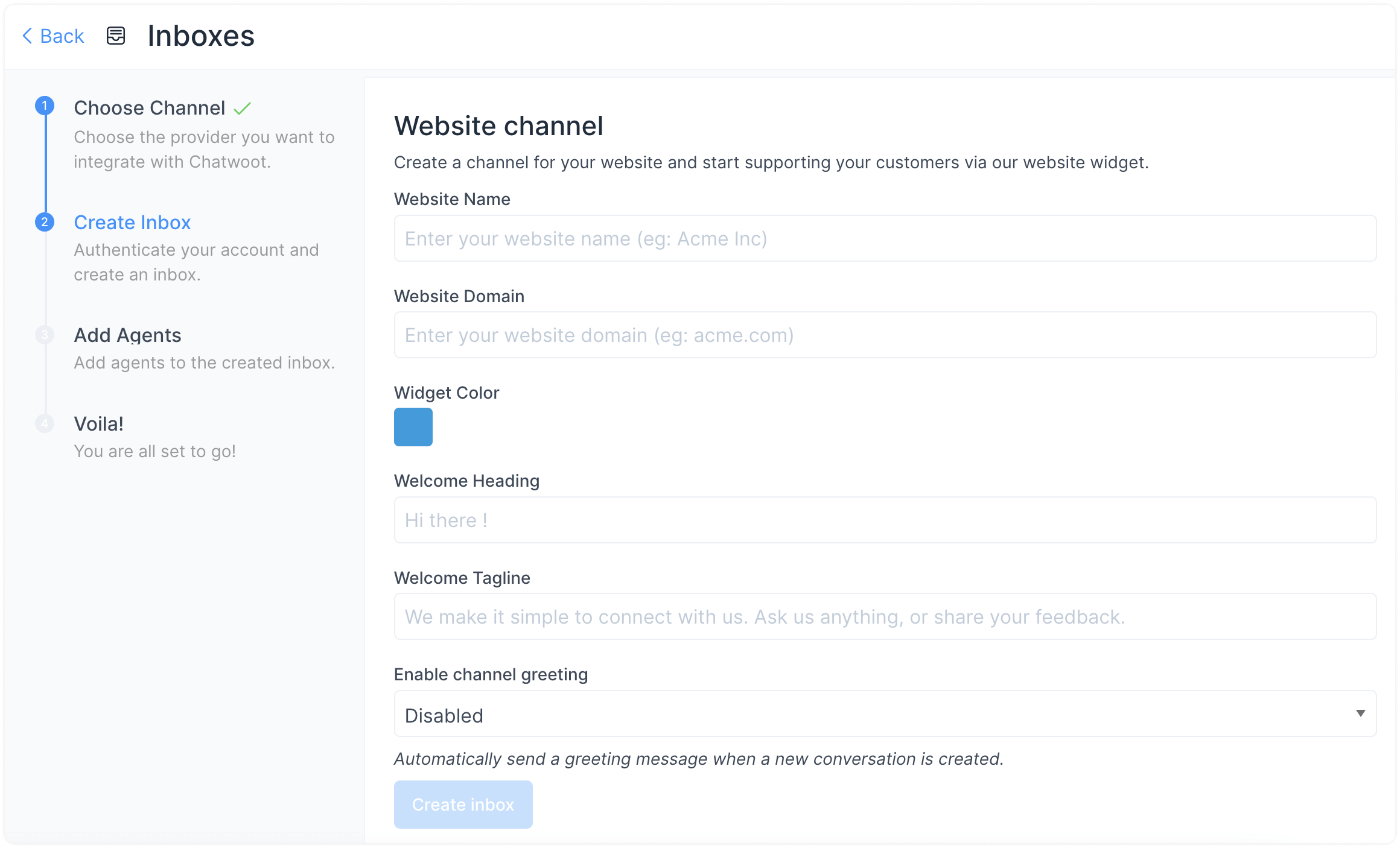
www.example.comClick “Create Inbox”.
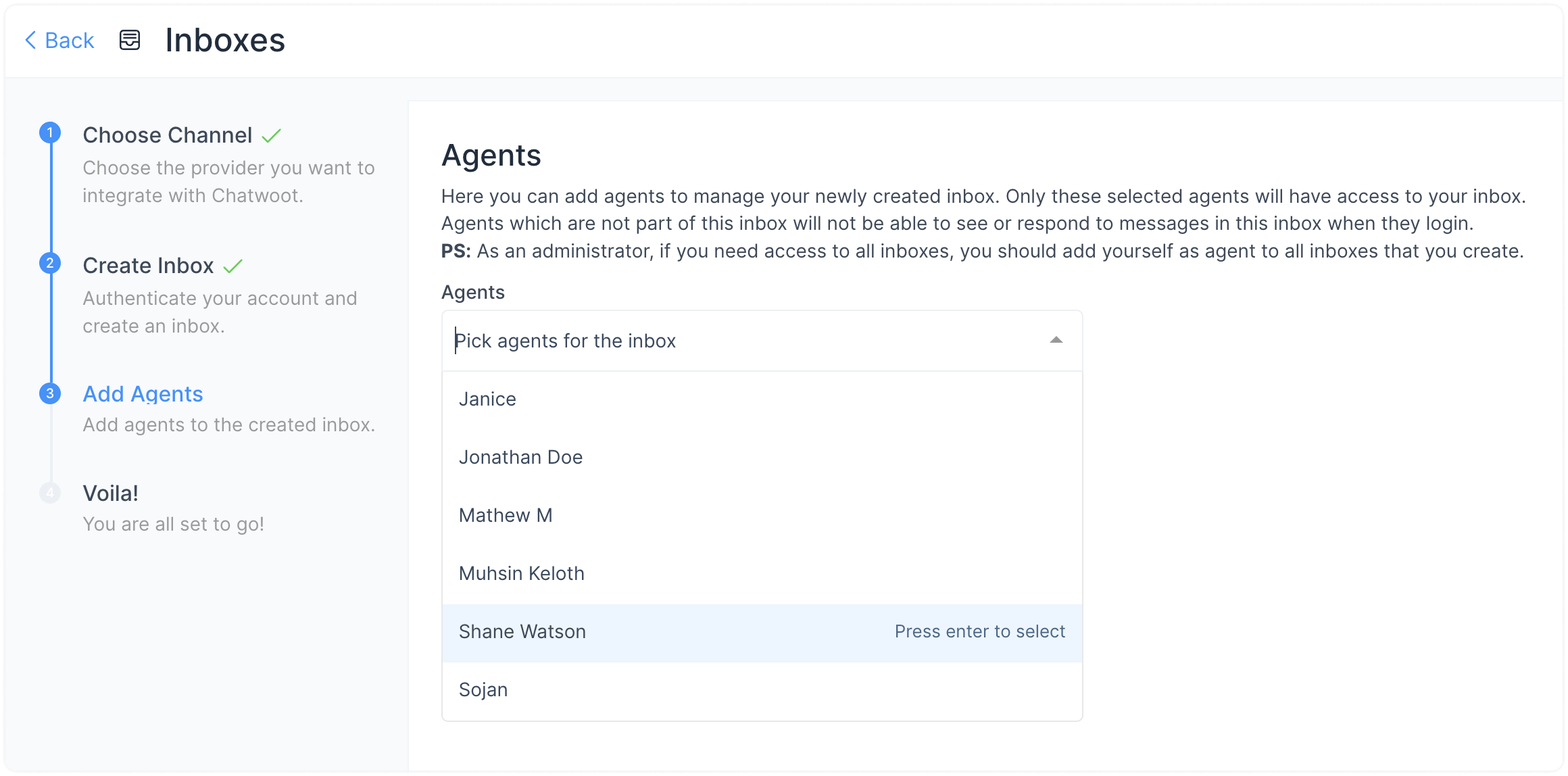
Step 4. Add agents to your website inbox. Even administrators must add themselves to see the inbox.
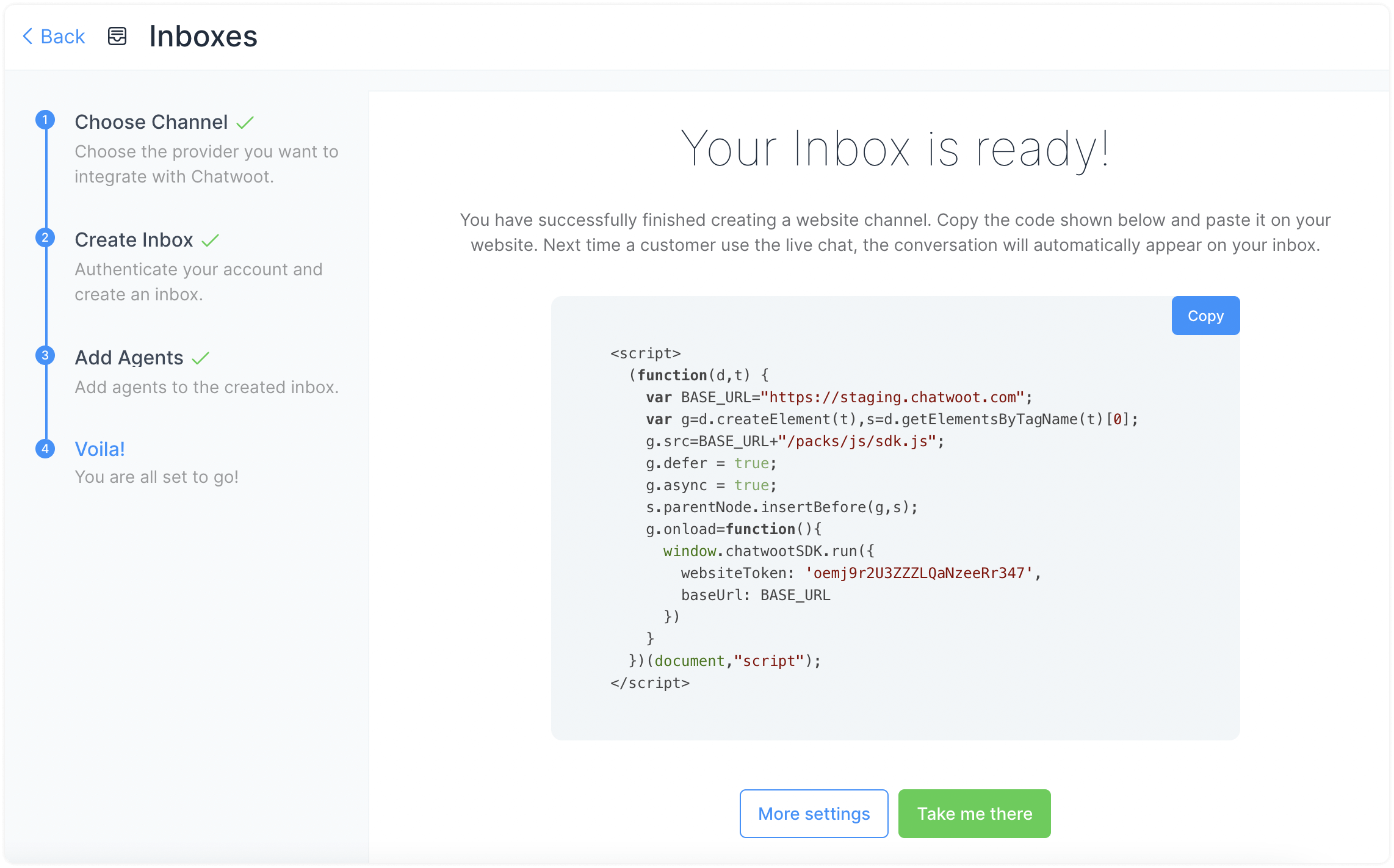
Step 5. Copy and paste the code snippet into your website root file.
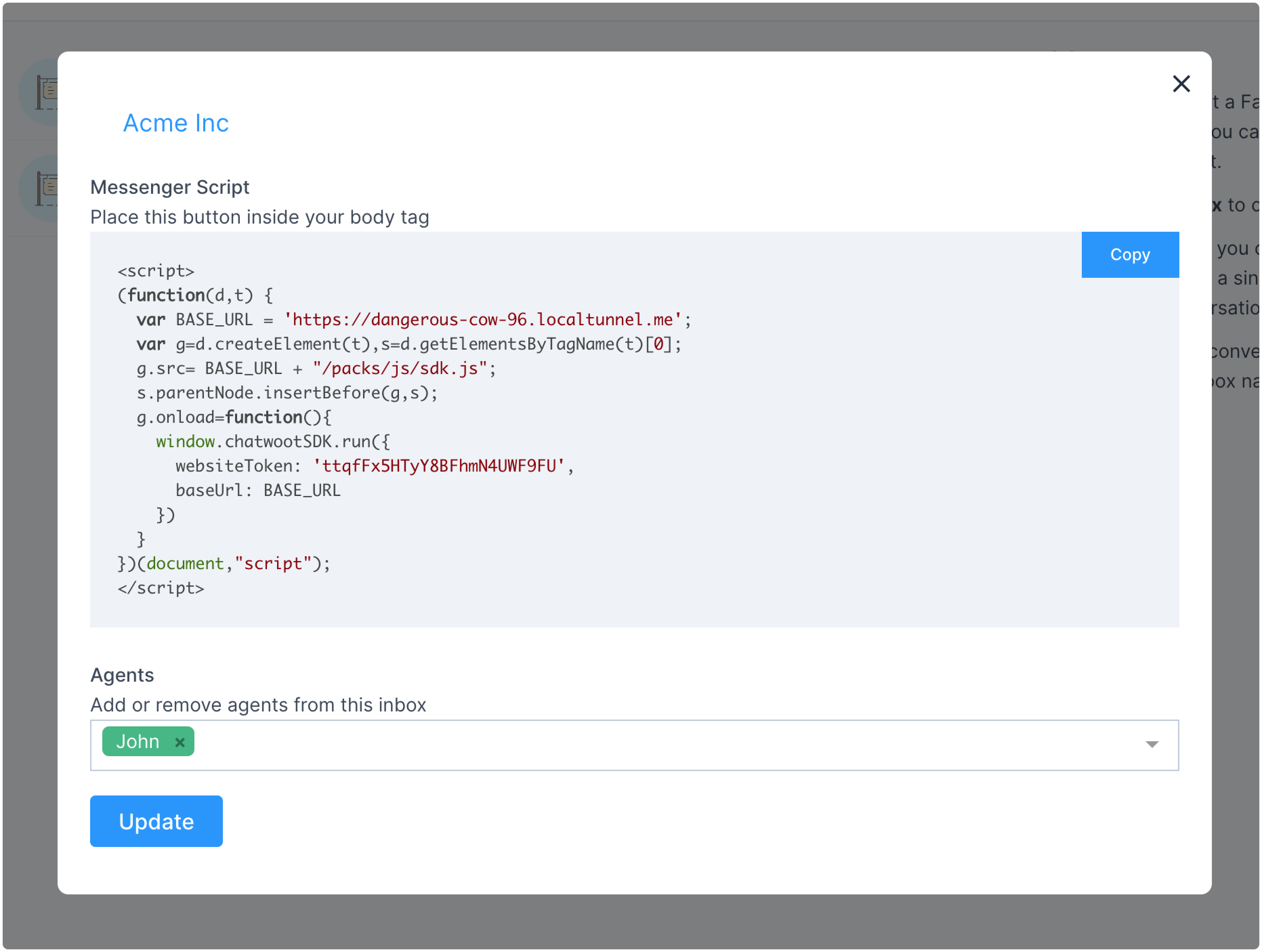
Step 6. Update agents and settings anytime from Settings → Inboxes.
Once created, you can configure additional settings:
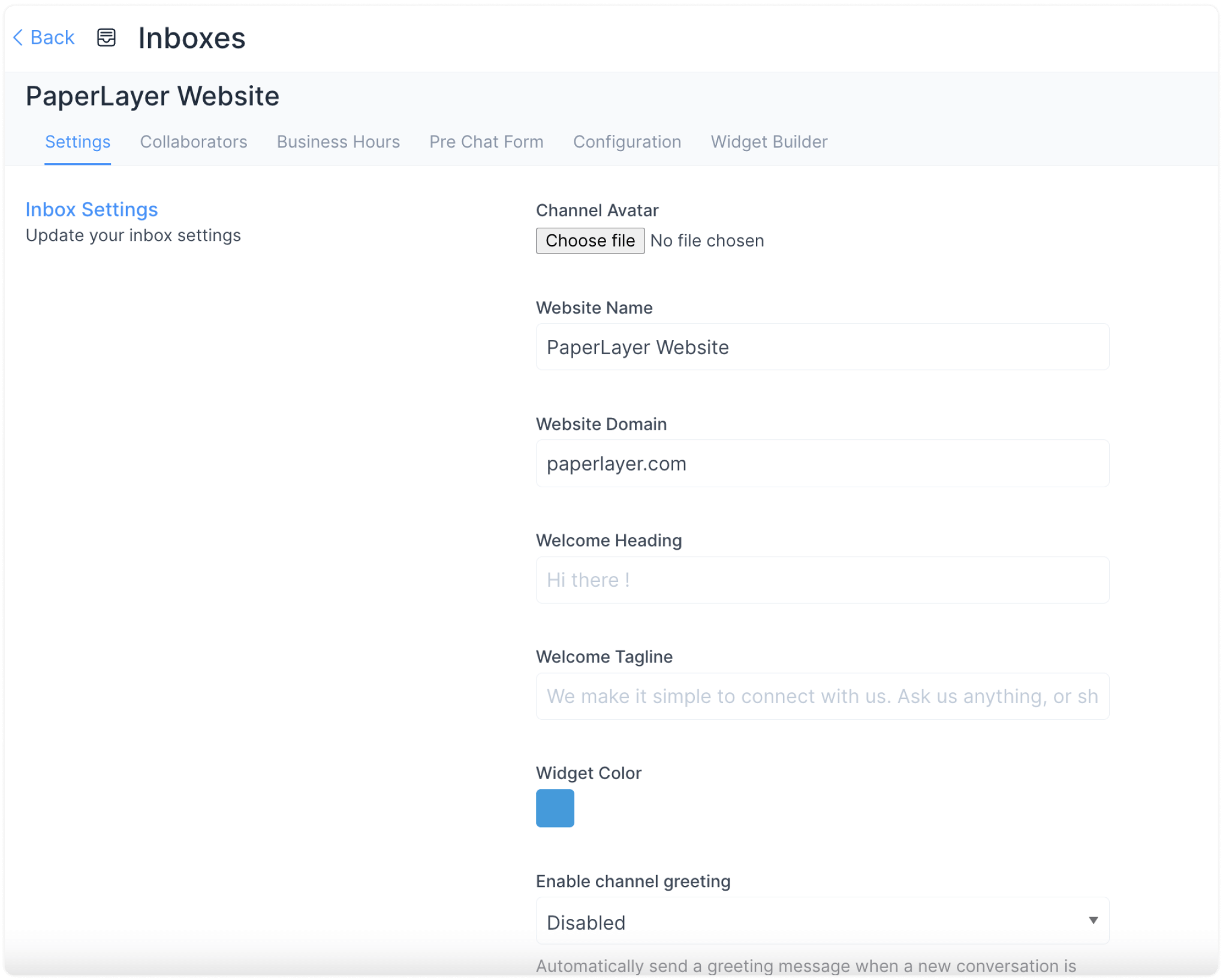
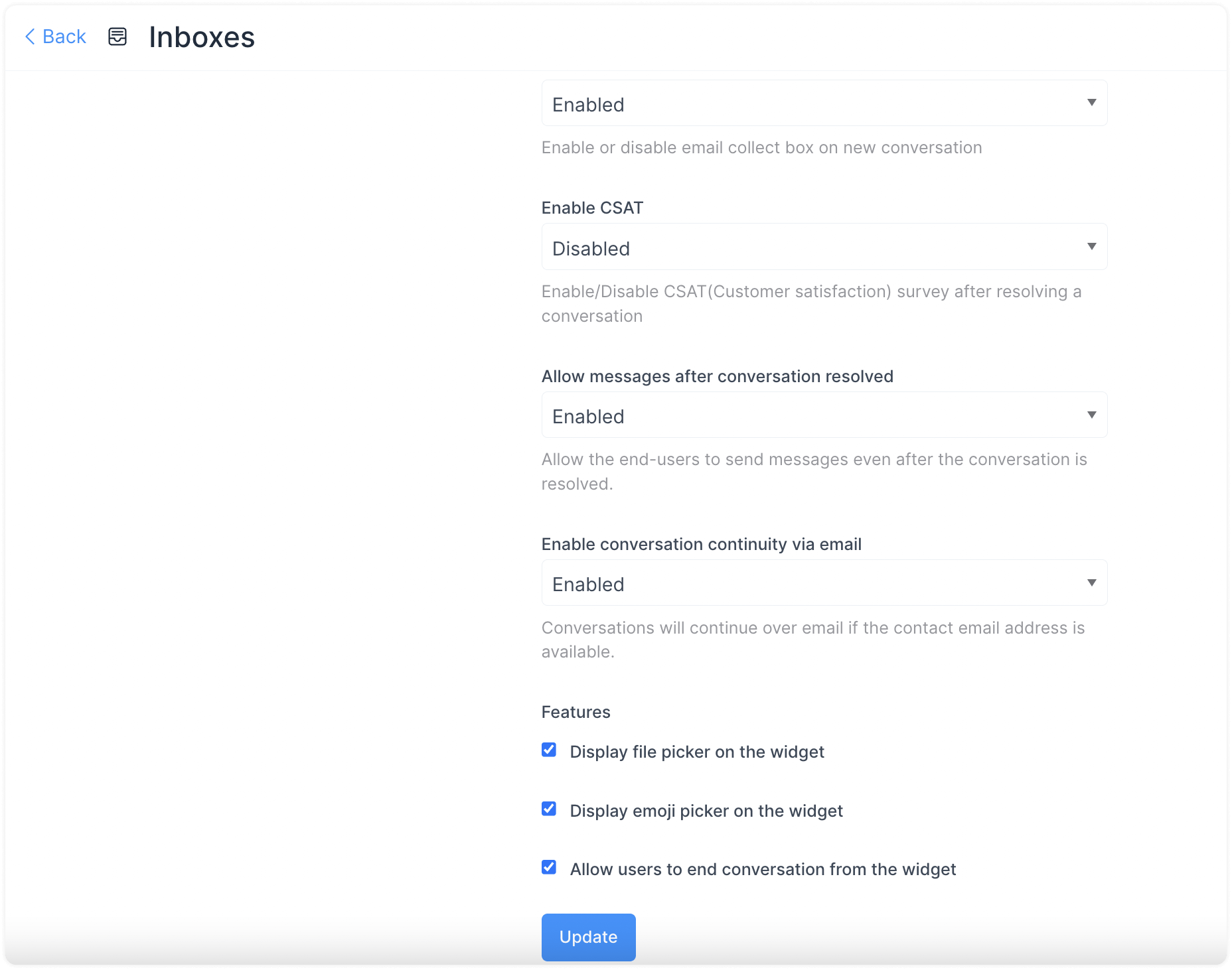
Configure notifications, enable email collect, and CSAT survey. Save with Update.
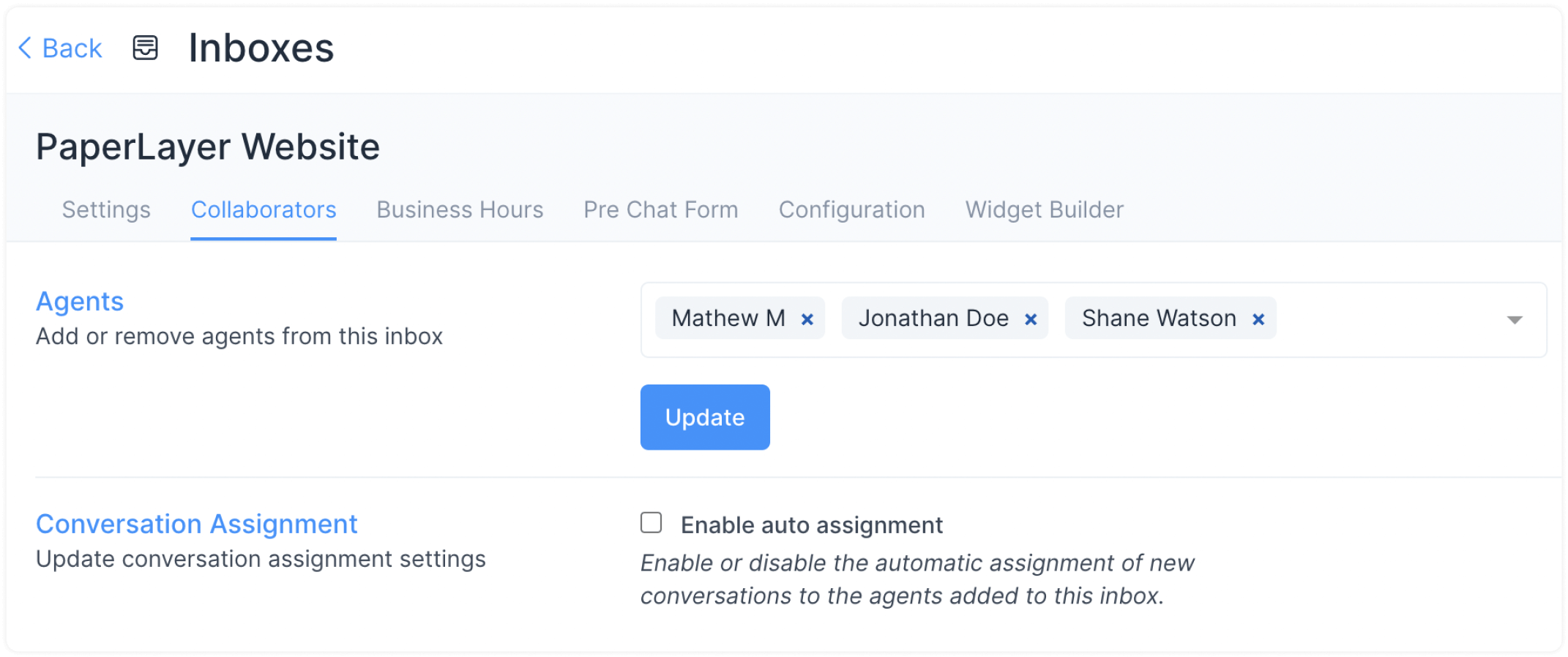
Add or remove agents. Enable/disable auto-assignment of new conversations.
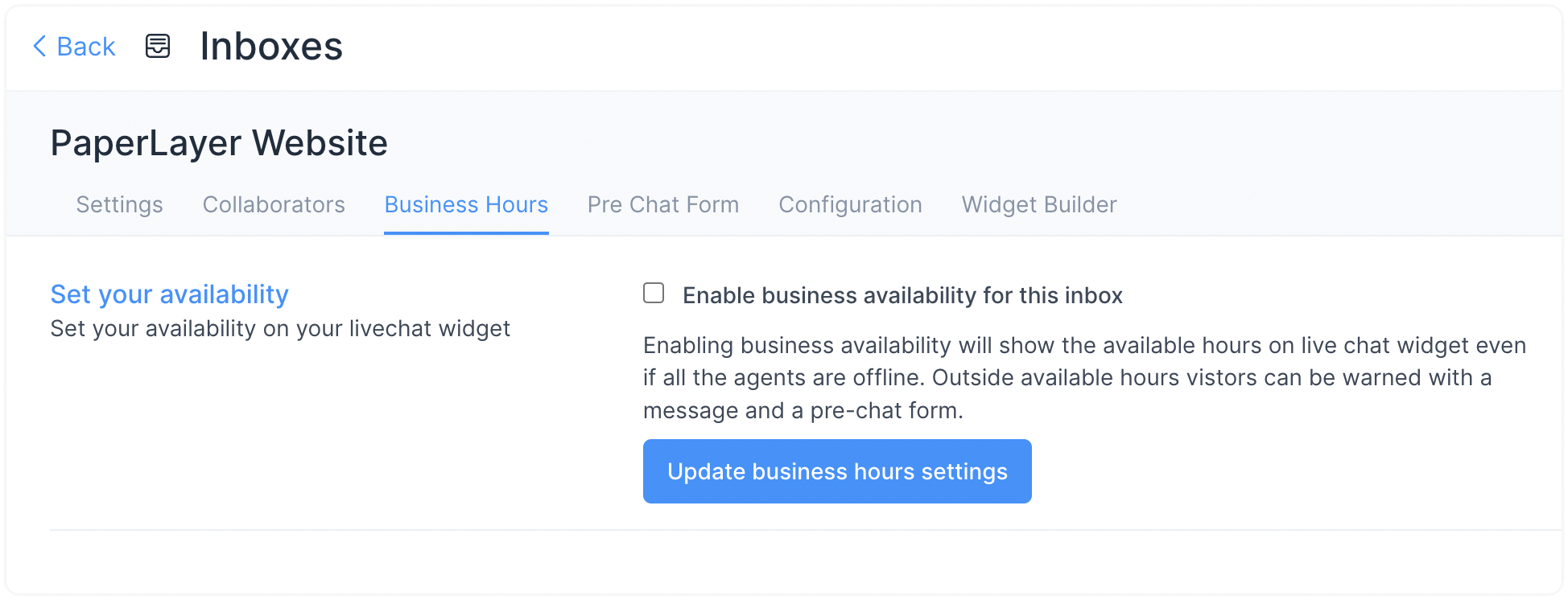

Set working hours, timezone, and out-of-office messages. Save with Update Business Hour Setting.

Collect customer info before starting chat (Name, Email, Phone, or custom fields).
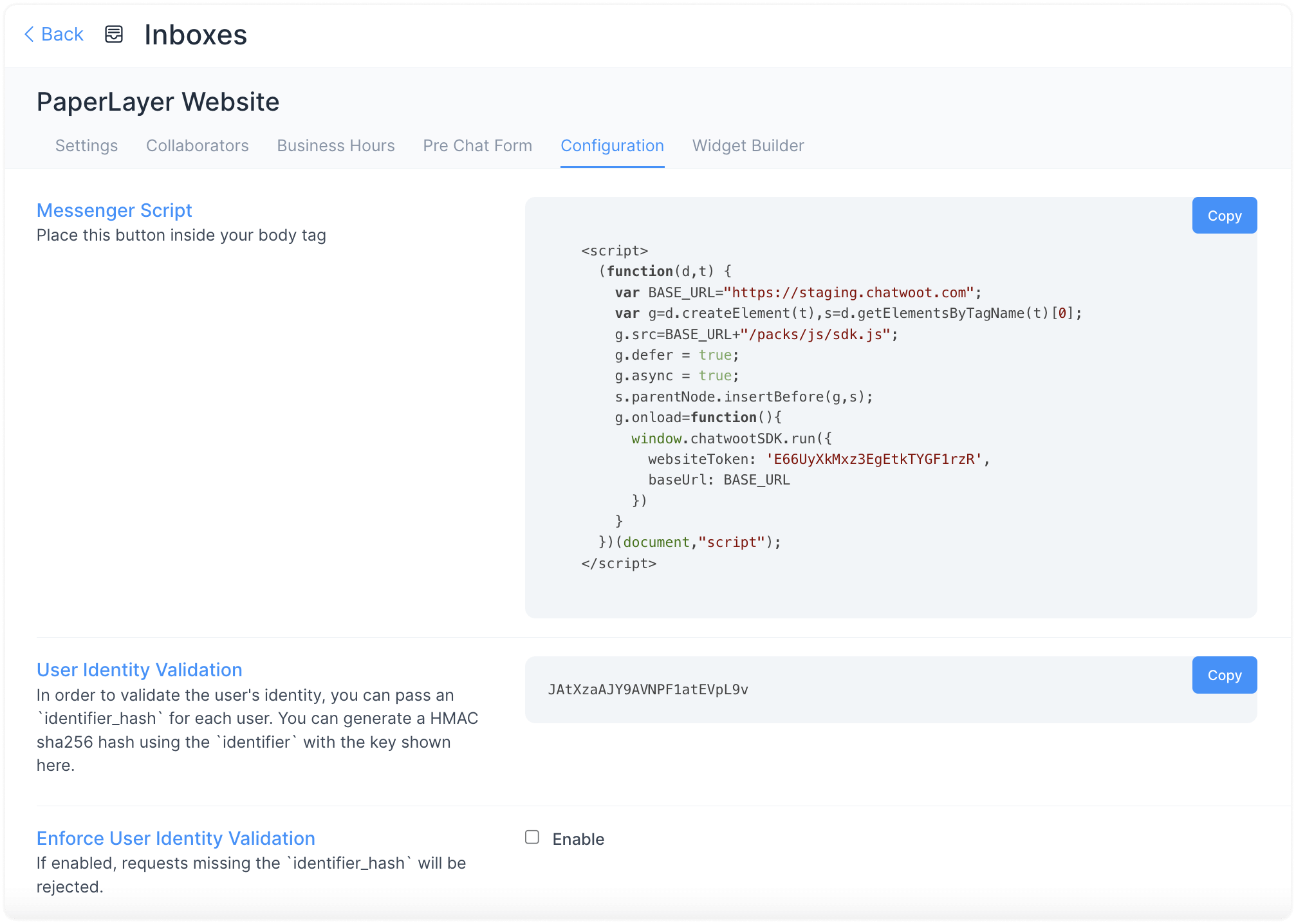
Copy the code snippet and paste it into your website root file.
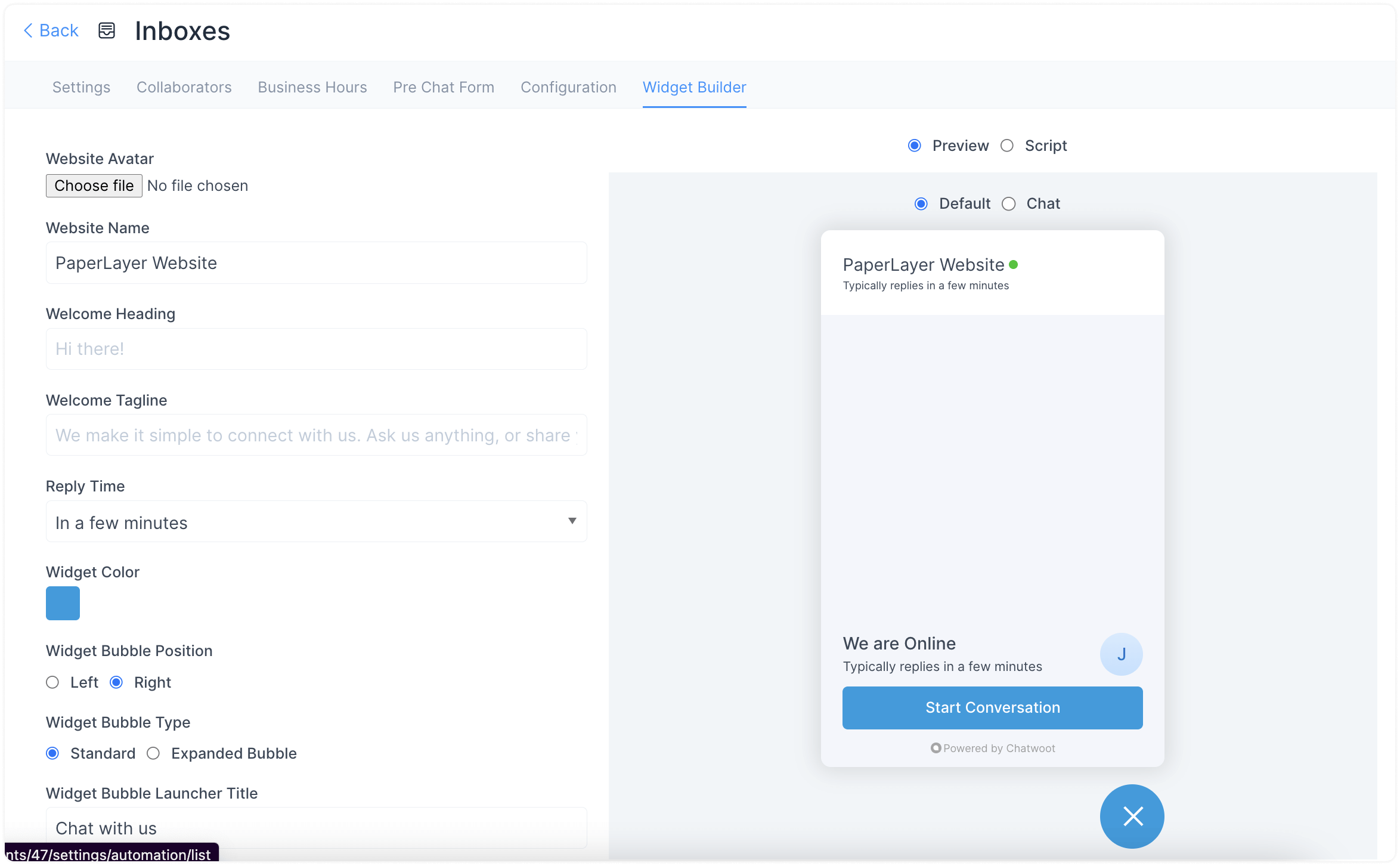
Customize your chat widget and preview changes live.
This document will help you fully set up your website live chat. It explains how to create and use the additional settings for a desired website inbox.
This document will help you fully set up your website live chat. It explains how to create and use the additional settings for a desired website inbox.

This document will help you fully set up your website live chat. It explains how to create and use the additional settings for a desired website inbox.
This document will help you fully set up your website live chat. It explains how to create and use the additional settings for a desired website inbox.
This document will help you fully set up your website live chat. It explains how to create and use the additional settings for a desired website inbox.

This document will help you fully set up your website live chat. It explains how to create and use the additional settings for a desired website inbox.

This document will help you fully set up your website live chat. It explains how to create and use the additional settings for a desired website inbox.
Join growing businesses using Unified Chat to manage support across all channels—from one smart platform.