How to setup a WhatsApp channel (Embedded signup)

What is it?

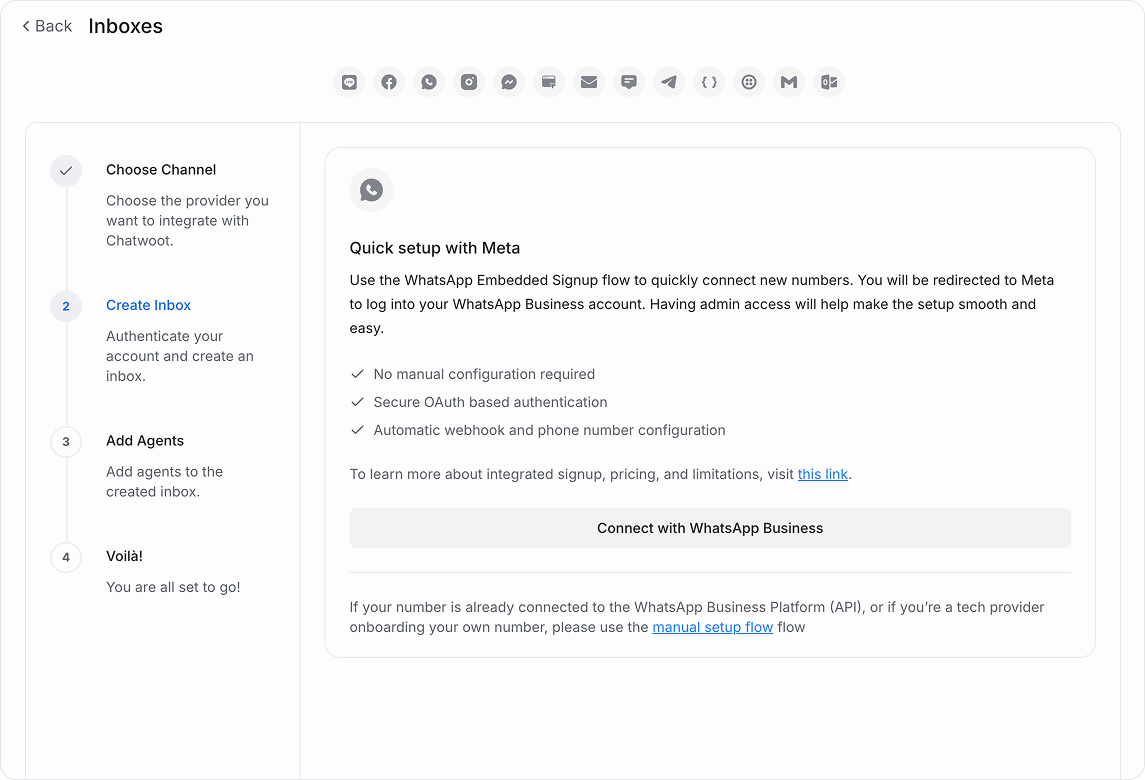
The Embedded Signup is a browser-based interface by Meta that authenticates your Facebook user, links your WhatsApp Business Account (WABA), and adds a phone number in a single flow. Unichat uses this to eliminate the need for manual tokens or webhook configurations.
Prerequisites

  • 1 Facebook (Meta) login credentials
  • 2 Accurate Business Information
  • 3 Unichat workspace with WhatsApp feature enabled

Onboarding Workflow

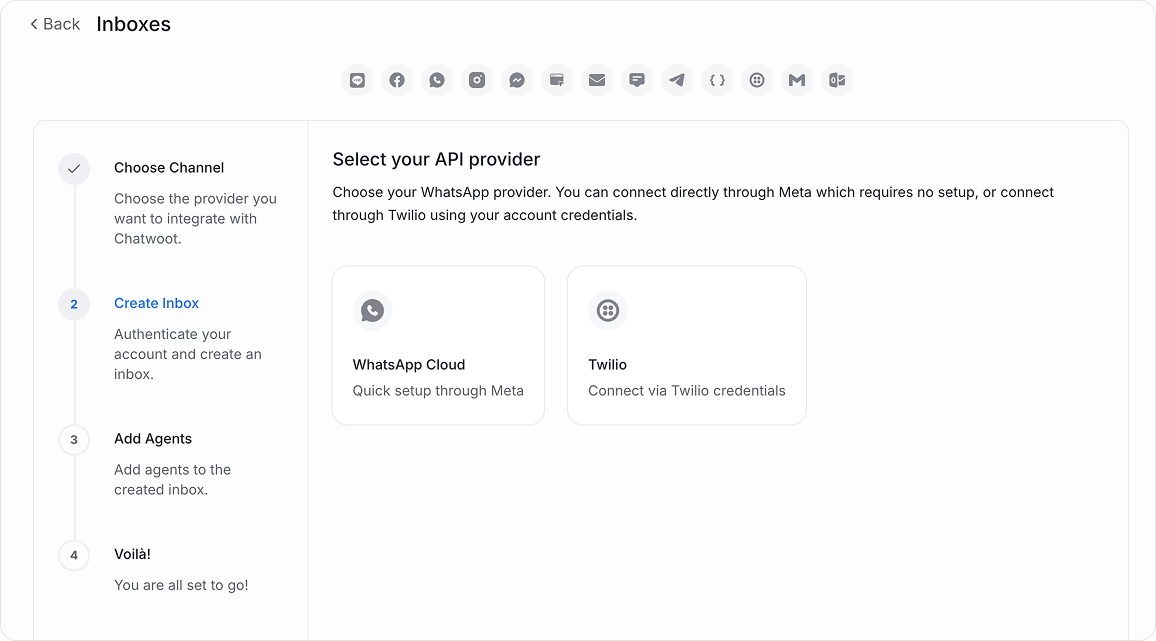
Navigate to Settings → Inboxes → "Add Inbox" and select WhatsApp.

Click on the "Connect with WhatsApp Business" button to launch the Meta interface.

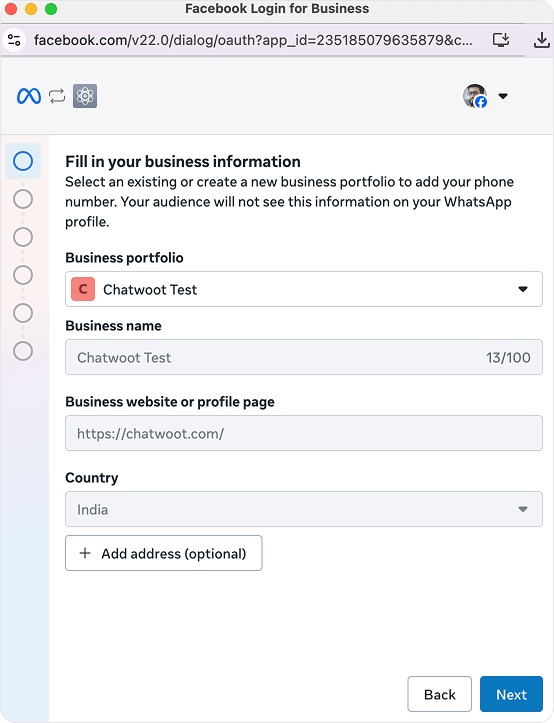
Log in to Facebook. Provide business details or select a portfolio, then choose an existing WhatsApp Business Account (WABA) or create a new one.

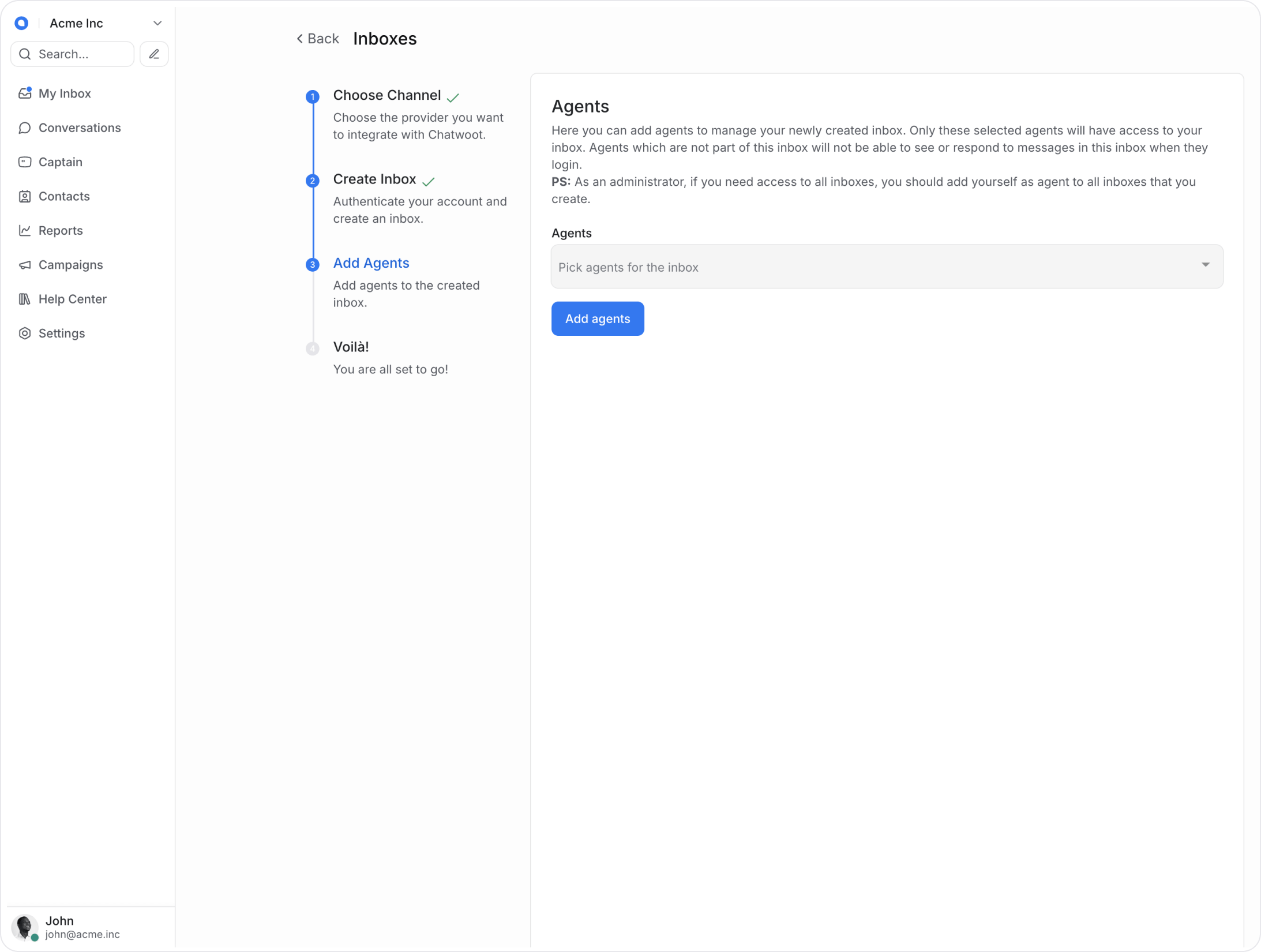
Add agents to your new inbox to start managing conversations.

Others Info

Meta আপনার ব্যবসা সত্যিকারের কিনা সেটা যাচাই করে।
  • যা লাগতে পারে: Trade License, Business Registration, VAT বা TIN, Business address proof।
  • ডকুমেন্টের নাম Facebook Business Manager-এ দেওয়া business name-এর সাথে মিল থাকতে হবে।
  • ছবি পরিষ্কার ও রঙিন হতে হবে, ঝাপসা হলে reject হতে পারে।

গ্রাহক WhatsApp-এ যে নাম দেখবে, সেটা Meta approve করে।
  • সঠিক উদাহরণ: ABC Electronics, ABC Electronics Support
  • ভুল উদাহরণ: Customer Care, Best Deals 24/7
  • Display name অবশ্যই আপনার আসল business বা brand name হতে হবে।

Meta সাধারণত আপনার ব্যবসার অনলাইন প্রমাণ দেখতে চায়।
  • Business website, Facebook Page বা Instagram Business account থাকলে approval সহজ হয়।
  • Website-এ business name ও contact information থাকা জরুরি।

  • মেসেজ রুলস: গ্রাহকের অনুমতি ছাড়া promotional বা spam message পাঠানো যাবে না।
  • তথ্য মিল: Business Manager এবং Website-এ একই নাম ও ঠিকানা ব্যবহার করুন।
  • সময়: নাম অনুমোদনে ১-৩ দিন এবং বিজনেস ভেরিফিকেশনে ৩-৭ দিন সময় লাগতে পারে।
Share: